How to send a PDF to your Kindle
A PDF is a page, and a Kindle is not a page. The one word that makes Amazon reflow it, the size ceilings nobody mentions, why some PDFs come back unreadable, and when to leave a PDF alone.
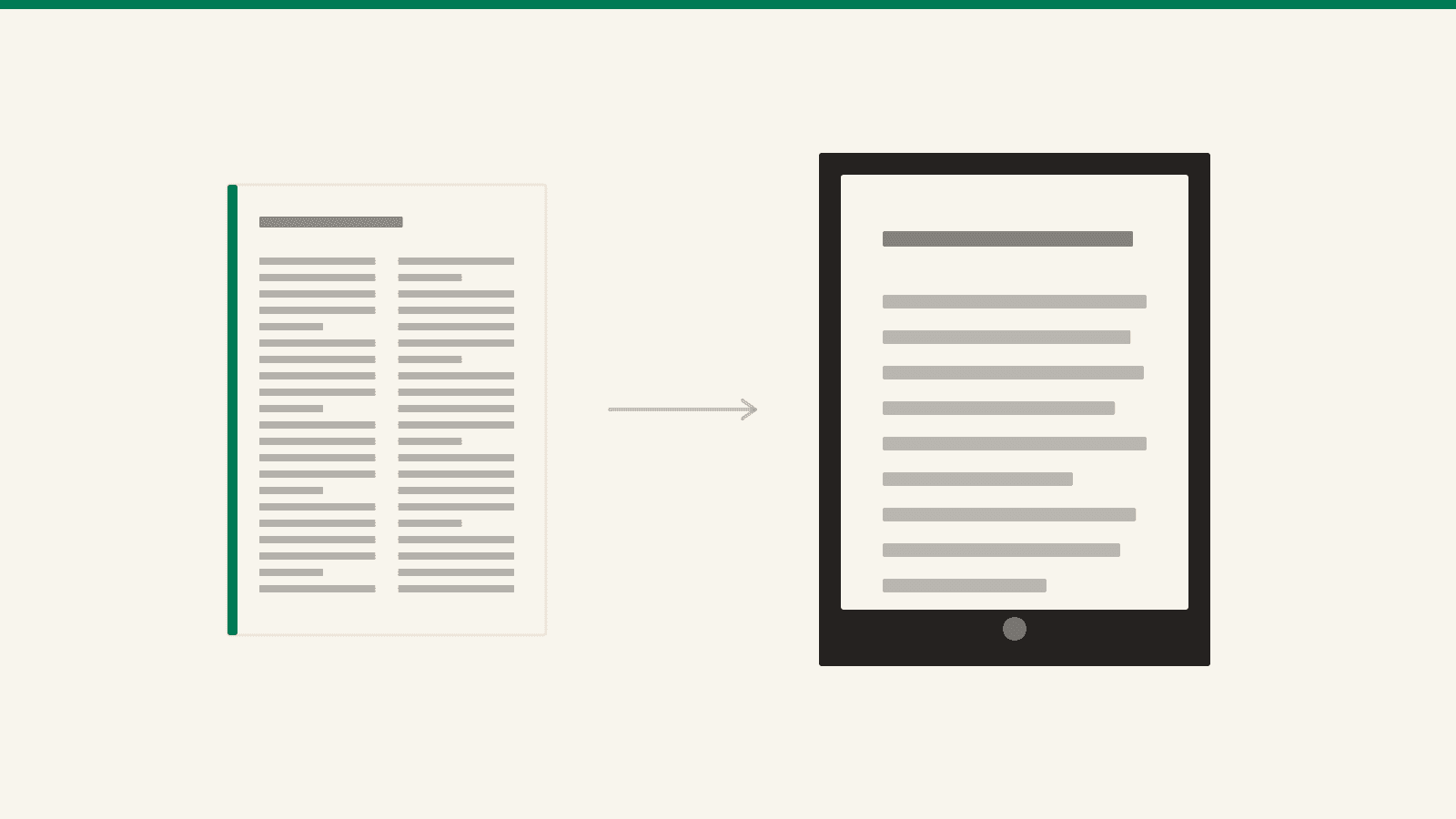
Almost everything worth reading arrives as a PDF. The paper, the manual, the contract, the report someone attached without a word. And a PDF is the one format your Kindle is worst at, for a reason that has nothing to do with Amazon.
A PDF is a page. It has a width, a height, and every letter pinned to a coordinate on it — usually a coordinate chosen for A4 or US Letter. A Kindle is not a page. It is a six-inch screen that expects to pour text into whatever size you asked for.
So sending the file is trivial. Getting it to read like a book is a decision you make at the moment you send it.
The word that changes everything
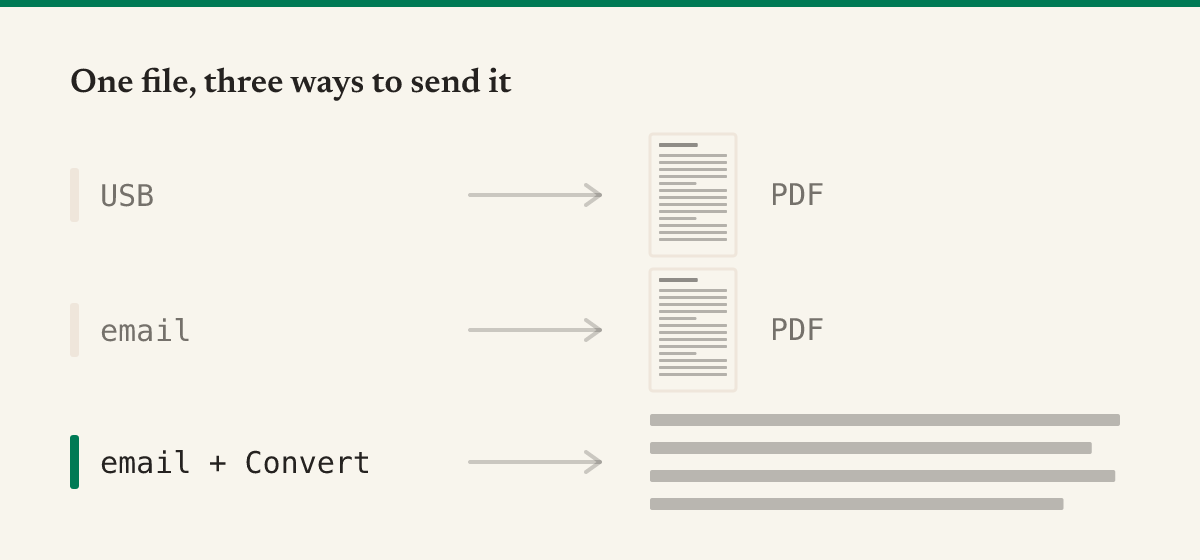
Email the PDF to your Kindle address and write Convert in the subject line.
That is the whole trick. With the subject empty, Amazon delivers your PDF as a PDF: fixed page, fixed type size, pinch and pan forever. With Convert in the subject, Amazon pulls the text out and hands you a reflowable Kindle book instead — your font, your margins, your line spacing, and a progress bar that means something.
Two things around it are worth knowing:
- Your Kindle address and the approved sender list. Both live in Amazon's Manage Your Content and Devices → Preferences → Personal Document Settings. Mail from an address that is not on that list is dropped without a bounce. The companion post covers that setup in full.
- The cable does not convert. Drag a PDF into the Kindle's
documentsfolder over USB and it stays a PDF forever. Conversion is a service on Amazon's side, not a feature of the device — which is also why an EPUB copied over USB never shows up at all.
The size ceilings
Different doors, different limits, and none of them announce themselves:
| Route | Ceiling |
|---|---|
Email to your @kindle.com address | 50 MB total per message |
| Send to Kindle on the web | 200 MB |
| The Send to Kindle apps and browser extension | 25 MB for PDFs |
If a scanned book blows past the email limit, zipping it works: Amazon opens the ZIP and converts what is inside. Beyond that, the web uploader is the generous door.
Both of these are PDFs. Only one can become a book.
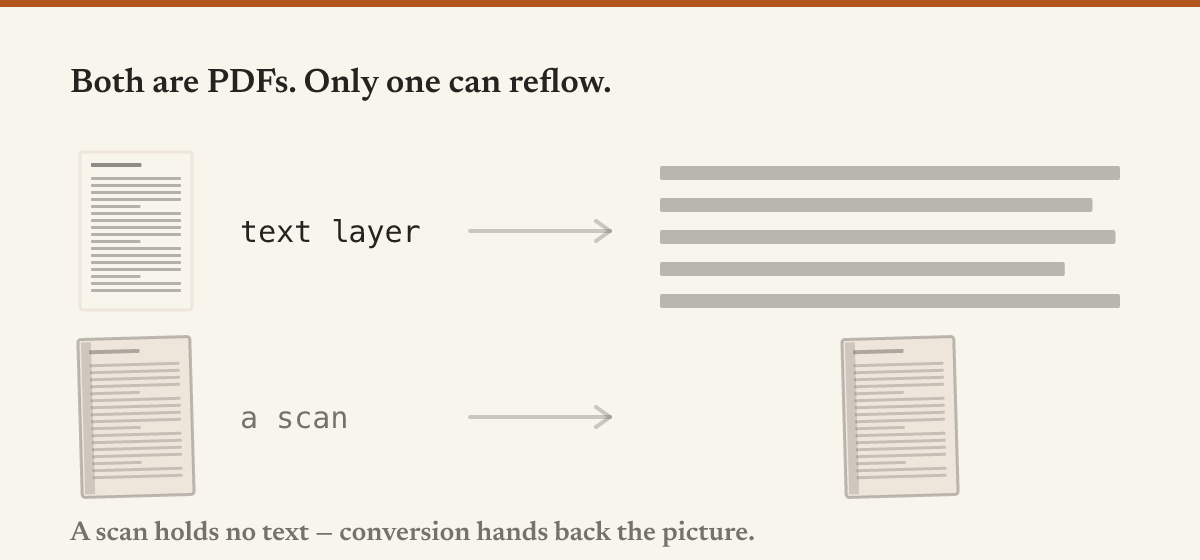
This is the failure that wastes an afternoon, because the two files are indistinguishable until you try.
A PDF made by exporting from Word, LaTeX, a browser or a design tool carries a text layer: real characters at real coordinates. Conversion has something to read, and you get a book.
A PDF made by a scanner or a phone camera is a stack of photographs of pages. There are no characters in it at all — only pixels that look like characters to you. There is nothing for the converter to reflow, so what comes back is the picture, at the same unreadable size, and you have learned nothing except that it took four minutes.
The tell is in any PDF reader: try to select a sentence. If the selection grabs words, there is a text layer. If it draws a rectangle over the page, you have a scan, and your options are OCR first or read it as a page.
What else silently goes wrong
Two columns become one long shuffle. An academic paper stores its text in the order it was written to the file, which on a two-column page is frequently not the order you read it in. Conversion follows the file, and the result interleaves the columns — a paragraph from the left, a paragraph from the right, and no way to tell where it happened. Papers are often better read as pages, in landscape.
Margins survive the trip. A page designed with an inch of white on each side keeps that inch when it is displayed as a page, and on a six-inch screen the margin is a serious fraction of the screen. The device can zoom, but it cannot crop.
The type size button stops working. On a real Kindle book that button changes the type. On a PDF it offers zoom levels instead — you are magnifying a picture of a page, not resetting the text. This is the single clearest signal that what you are holding was never converted.
The nameless file. Send report_final(2).pdf and that is what your library will call it, forever. Rename before sending; the filename becomes the title.
When you should keep it a PDF
Conversion throws the layout away. Sometimes the layout is the content:
- Sheet music, plans, circuit diagrams, anything where position means something.
- Forms and contracts where the pagination is the reference — "clause 4, page 11" has to still be on page 11.
- Image-heavy documents. There is nothing to reflow and everything to lose.
- Anything you intend to write on with a Kindle Scribe. Handwriting belongs on a page; converting turns the page into text and takes the page away.
For these, send it plain, then turn the device sideways. Landscape puts a full column width across the long edge of the screen, and it is the difference between "unreadable" and "fine" more often than people expect.
Doing the conversion yourself
Amazon's converter is a black box: you send the file, you wait, and you find out. It also means the document — often a contract, a manual, something not yours to share — takes a trip through someone else's servers to get onto your own device.
The free PDF to Kindle tool does the same job in the browser tab you already have open. It reads the text layer with the PDF engine your browser ships, then rebuilds the structure a PDF does not store: lines from shared baselines, headings from type larger than the body's, paragraphs from the gaps, columns from the gutter that no line crosses. The result is a proper EPUB with real chapters, which you can download or have mailed to your Kindle.
And when a PDF has no text layer, it says so, immediately, instead of sending you a picture of a book four minutes later.
The thing a PDF can never be
All of this is about rescuing a document someone else wrote, in a shape they chose, for a reader who was not you.
That is the ceiling. A converted PDF is still a hundred pages aimed at whoever the author had in mind — the wrong depth, the wrong assumptions, the wrong examples, and no way to say so.
Sapiens starts from the other end. You give it a topic and who it is for, it plans the syllabus, writes every lesson in full, and sends the finished book to the same Kindle address. No conversion, because nothing needed converting: it was written as a book from the first line.
Going the other way — getting your highlights back out — is over here.