The Kindle Vocabulary Builder, and the file behind it
Every word you look up on a Kindle is written to a small database on the device. Where that file is, what it holds, why the list quietly stops growing, and how to get it out before it does.
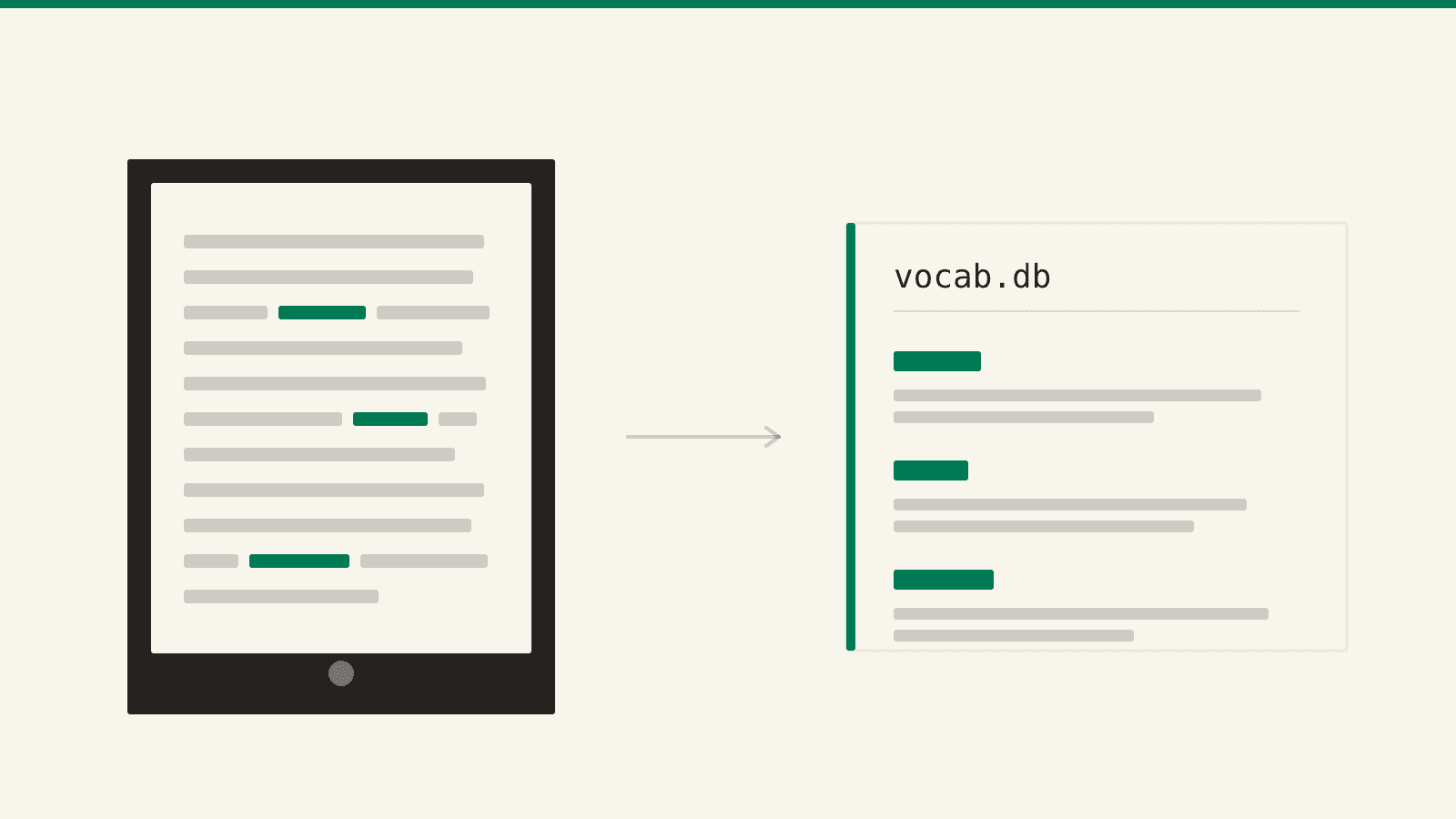
There is a word list on your Kindle that you have been building for years without deciding to. Every time you held a finger on a word and the dictionary card slid up, the device wrote that word down — with the sentence it was sitting in, and the book it came from.
Amazon calls the list Vocabulary Builder. It is one tap away, in the menu of any book you have open, and most people meet it by accident years in.
What almost nobody knows is that it is a file. A real one, on the device, which you can copy off and keep. That matters more than it sounds, because the list does not grow forever.
It is not Word Wise
These two get confused constantly, so: Word Wise prints tiny definitions above hard words as you read, and you never asked for any of them. Vocabulary Builder is the record of the words you stopped and looked up.
One is a reading aid. The other is a log of your own curiosity, which is a considerably more interesting thing to own.
The trigger is the dictionary. Press and hold a word, read the definition card, and the word is on the list — no confirmation, nothing else to do. It has worked that way since firmware 5.4.4 reached the Paperwhite, and it is on by default; the switch is in Settings → Reading Options, and turning it off keeps what you already collected.
One disappointment to get out of the way early: this is an e-reader feature only. The Kindle app on your phone or tablet will not build the list and cannot show you the one your Kindle built. If half your reading happens in the app, half your lookups were never recorded at all.
Where the file actually lives
Plug the Kindle into a computer with a cable that carries data, and on the older models it mounts as a plain drive. The list is at:
system/vocabulary/vocab.db
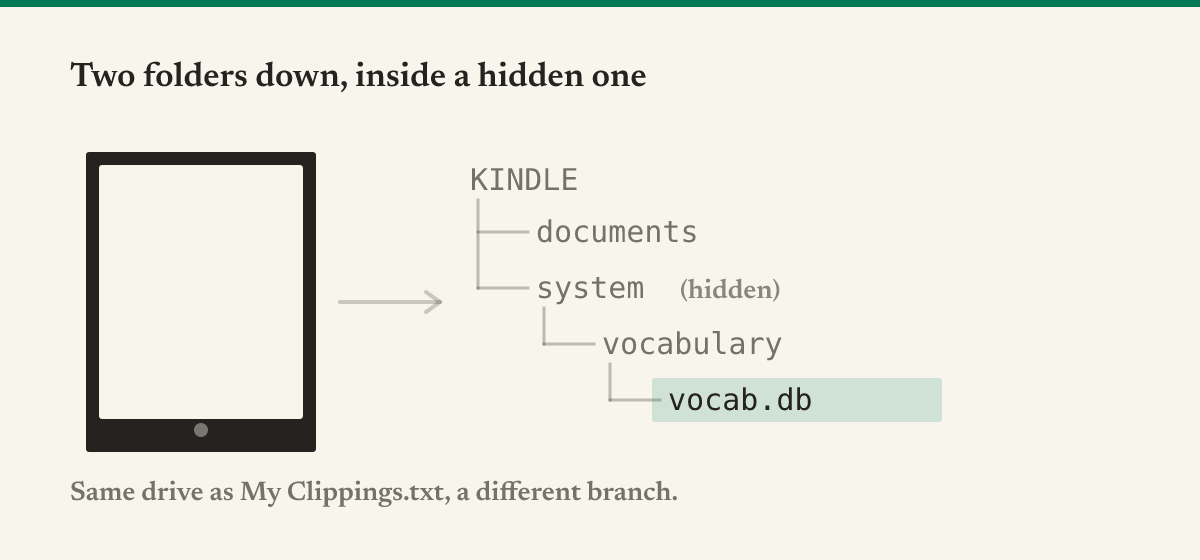
system is a hidden folder, which is the entire reason people conclude the file does not exist. On Windows, turn on hidden items in File Explorer, or type the path — D:\system\vocabulary — straight into the address bar. On a Mac, ⌘⇧. in the Finder toggles hidden files.
It is the same drive as the My Clippings.txt your highlights live in, one branch over.
The 2024 Kindles changed this. The current basic Kindle, the 12th-generation Paperwhite, the Colorsoft and the Scribe connect over MTP instead of mounting as a drive — the same change that made sideloading more awkward on them. Whether system is reachable that way is genuinely inconsistent: experienced users on MobileRead report that none of the 2024 models expose it, while others say a full MTP client such as OpenMTP shows the whole device. Plug in and look. If the folder is not there, that is why, and it is not something you are doing wrong.
What is inside
It is a SQLite database — the same format your phone's apps use — with four tables. Three of them are the ones that matter:
WORDS— one row per word: the word as it appeared, its dictionary base form, the language, and whether you have marked it as mastered.LOOKUPS— one row per lookup. This is the good one. It stores the sentence the word was in, which book it came from, and when. Look a word up in three books and you get three sentences.BOOK_INFO— the titles and authors, so every word knows where you met it.
(The fourth, DICT_INFO, records which dictionaries were involved.)
Notice what is not on that list: definitions. They are not in the file. The Vocabulary Builder screen reads them from whichever dictionary is installed on the device, so getting them out means unpacking that dictionary separately — which for Amazon's own built-in dictionaries is not possible at all.
That sounds like a loss and mostly is not. The sentence is the better artifact anyway: you already know roughly what desultory means in the abstract, and what you actually want back is the paragraph where it stopped you.
What silently fails
The list has a ceiling. This is the big one, and no guide mentions it.
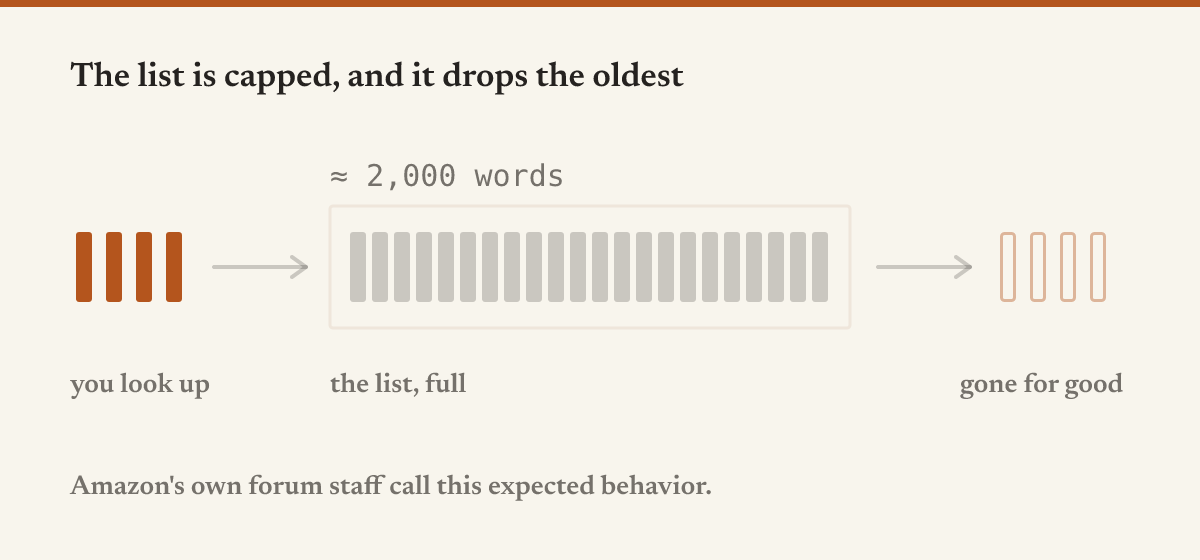
In January 2026 a reader posted to Amazon's own Digital and Device Forum that his Vocabulary Builder had stopped growing past roughly 2,000 words, and that older entries were vanishing — not hidden, gone, missing from the by-book view too. An Amazon staff member replied: "I confirm that this is an expected behavior," and suggested connecting the Kindle to a computer to export the database.
So there is a cap, it sits near two thousand words, it deletes rather than refuses, and the official answer to it is the file. Two thousand words is four or five years of casual reading in your own language, and one dense year in a second one.
A factory reset will not clear it. People try that to start fresh and it does not work: the list syncs to Amazon and comes back. A reader on MobileRead reset his device to shed 2,000 words, set it up again, and reported that "after a few minutes all of my words from VB were back again"; support told him they live on Amazon's servers.
That is the exact inverse of My Clippings.txt, which a reset wipes and nothing restores. Here the cloud copy outlives the device — comforting, until you notice it cuts both ways. When the cap deletes your oldest words, it deletes them everywhere. Syncing works just as well on a deletion.
The dictionary you had selected decides the language. Read a German novel with the English dictionary still active and the lookups get filed as English words. Set the default per language first, under Settings → Language & Dictionaries → Dictionaries, because the entry cannot be fixed afterwards.
Mastered is not deleted. Marking a word as mastered moves it out of the active list, not out of the file — so your mastered pile is a record of what you learned, and worth exporting too.
Getting it out without handing it to anyone
The usual routes hand your file to a stranger. One popular guide uploads it to a third-party website; another walks you through attaching the database to ChatGPT and asking it to read the table out. Both work, and both send a complete record of what you have read and what you did not know somewhere you do not control.
The free Kindle vocabulary builder tool does it in the tab you already have open. Drop vocab.db in and it reads the database in your browser — nothing is uploaded. Your words come back searchable and filtered by language and by learning-versus-mastered.
Then it exports an Anki deck or a CSV. The deck is built from what the file actually holds, so the cards are word ↔ sentence rather than word ↔ definition: the word on the front and the passage on the back, or the reverse — the sentence with the word blanked out, which is the harder and better card. Note IDs derive from the word itself, so re-exporting next month updates your cards instead of duplicating them.
The part worth saying plainly
Back the file up. Not eventually — the next time the Kindle is plugged in. It is a few hundred kilobytes, it is the only complete copy of a list you spent years assembling by accident, and the device is under standing instructions to start deleting from the front of it.
Then ask what the list is for. Two thousand words you did not know is not a vocabulary exercise. It is a map of where your reading outruns you: the register you find hard, the fields you keep wandering into underequipped, the language you are still learning in.
That is worth building something around. Sapiens takes a topic and who it is for and writes the whole book — syllabus first, then every lesson in full, then straight to the same Kindle. Point it at whatever your word list keeps circling, and you get something written at your depth, rather than more sentences from books that were not.
For getting things onto the Kindle in the first place, start here — or, if what you are sending is a PDF, there is a whole post about that.